When to Use Co-host vs LIVE Match in TikTok LIVE Studio
2026-03-07
When to Use Co-host vs LIVE Match in TikTok LIVE Studio
One of the easiest ways to change the energy of a stream is to stop treating it as a one-person broadcast the whole time. Collaboration tools can introduce surprise, conversation, and viewer participation in ways that a solo format often cannot.
In TikTok LIVE Studio, two of the most useful features for this are Co-host and LIVE Match. They do different jobs, so the best results come from using each one at the right moment instead of treating them like interchangeable engagement buttons.
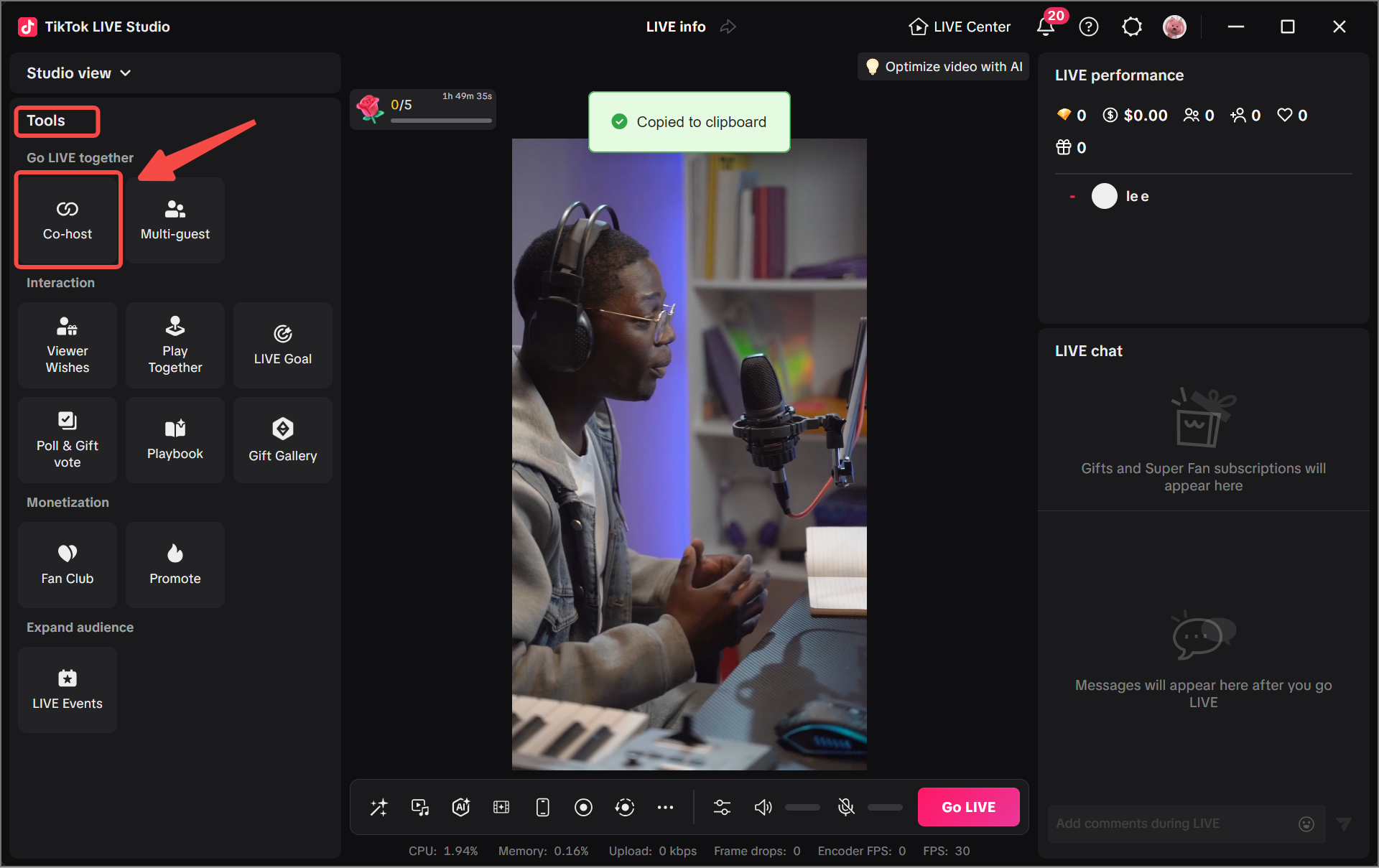
Why Collaboration Features Change Stream Energy
Viewers often stay longer when the stream has changing dynamics. Another speaker, another point of view, or a timed challenge can create a stronger reason to keep watching.
Collaboration features help because they:
- create more natural conversation
- add unpredictability without changing your whole content model
- give viewers a reason to comment or react
- turn one long stream into distinct segments
A strong stream does not need constant chaos. It just needs moments that feel alive.
Co-host and LIVE Match are useful because they create that feeling in different ways. Co-host adds dialogue and chemistry. LIVE Match adds pressure and urgency. That difference matters because the wrong format can make a stream feel awkward instead of more alive.
When Co-host Works Best
Co-host is usually the better choice when you want an actual conversation or shared activity.
Good use cases include:
- interviews
- creator conversations
- product discussions
- advice sessions
- side-by-side reactions
Co-host works best when the guest has a clear role. If they are there only to fill space, the stream can feel slow. If they bring expertise, personality, or contrast, the segment becomes much stronger.
A good judgment rule is:
- use Co-host when the value comes from talking
- avoid Co-host when you only need a quick energy spike
That second case is usually where LIVE Match fits better. If the audience is supposed to listen, compare opinions, or ask questions, Co-host is usually the more natural choice.
How to Invite a Co-host
The in-product flow is simple, but preparation matters more than the button click.
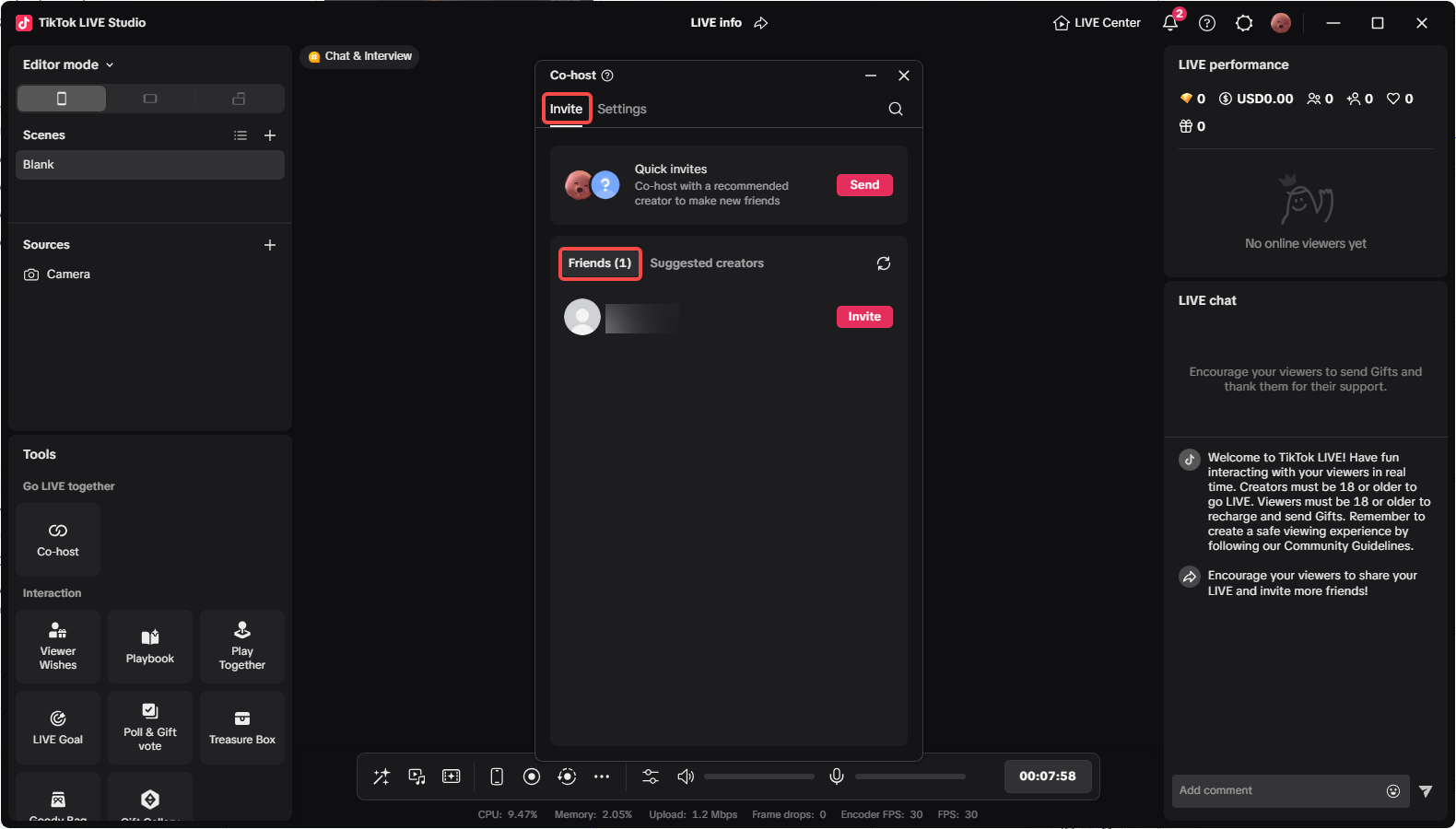
Before you invite someone, decide:
- what the segment is about
- how long it should last
- who leads the conversation
- what happens if the guest has audio or connection problems
The image above is useful because it reminds you that the tool is not only about finding a person. It is about choosing the right person for the moment. Friends, suggested creators, and quick invites are only useful if the segment itself has a purpose.
A practical process looks like this:
- Pick the guest and define the topic.
- Set a rough segment length.
- Decide who opens and who closes the discussion.
- Prepare one backup question in case the conversation slows down.
Once the guest joins, do a quick reset for viewers. Introduce the person, explain the topic, and tell the audience why this part of the stream is worth watching.
One common mistake is inviting first and planning later. That usually creates the exact problem creators wanted to avoid: low energy, slow pacing, and a segment that feels like filler instead of a feature.
Best Practices for a Smooth Co-host Segment
The best Co-host sessions feel structured even when they are casual. A simple agenda helps a lot:
- Short introduction
- Main topic or prompt
- Viewer questions or reactions
- Clear wrap-up
Keep the conversation moving. Long pauses, repeated points, or unclear turn-taking can make the segment drag. It also helps to check audio balance before you fully settle into the conversation, because mismatched volume is one of the fastest ways to lose viewer patience.
Common mistakes include:
- inviting a guest with no clear role
- starting without a topic transition for viewers
- letting one person dominate the segment
- failing to close the segment cleanly
A Co-host session does not need to be long. In many streams, a focused eight- to fifteen-minute segment is stronger than trying to keep a guest present for the entire show.
A good exit rule is to end the segment while it still feels useful. If the main point has been covered, wrap up, thank the guest, and move back into your core format before the pace drops.
How LIVE Match Creates More Immediate Interaction
LIVE Match is different. Instead of building a conversation, it creates a timed competitive moment.
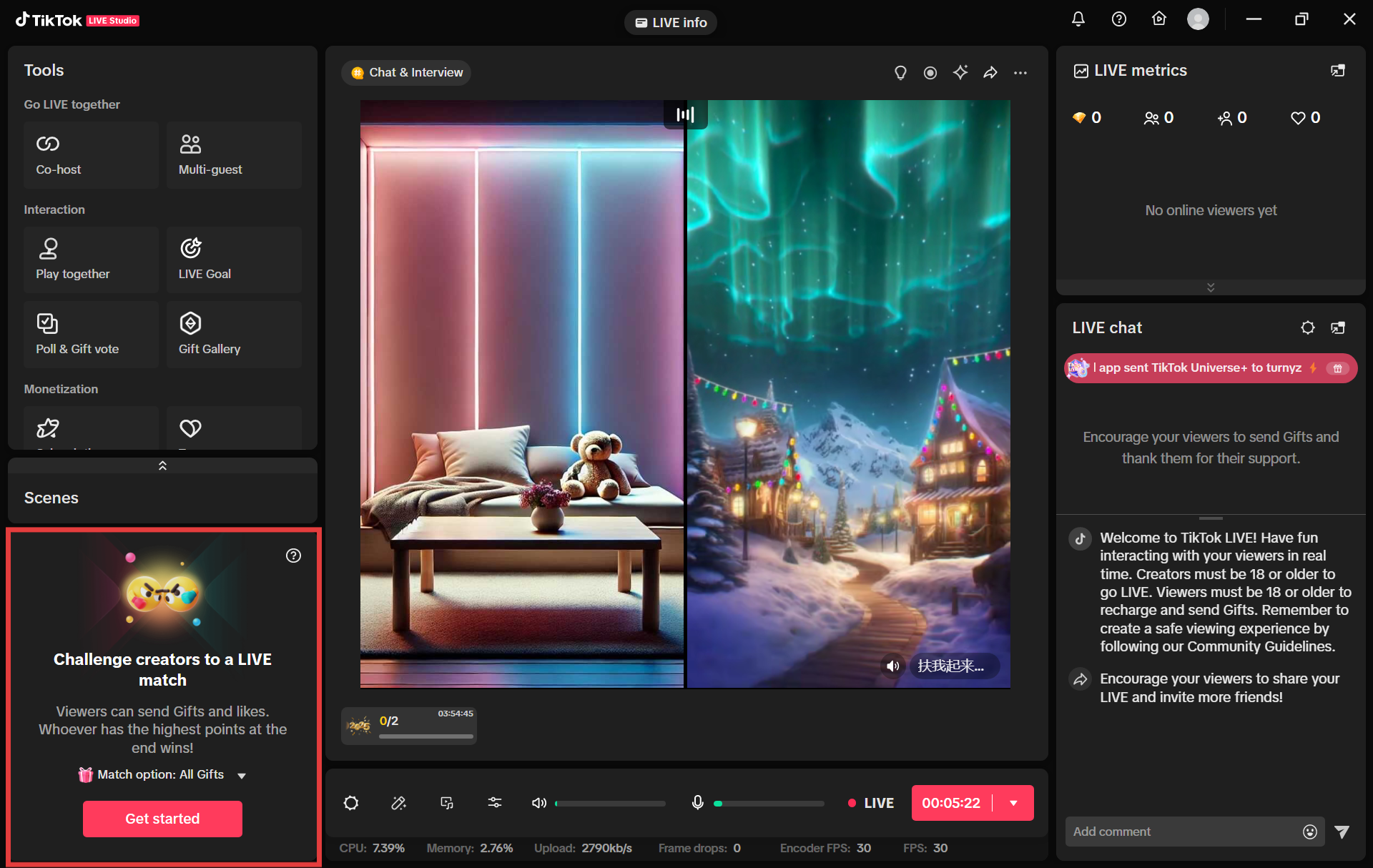
This format can lift energy because it gives viewers something immediate to respond to. The stream suddenly has a target, a scoreboard feeling, and a reason to participate right now instead of later.
LIVE Match is especially useful when you want:
- a short high-energy segment
- more immediate chat response
- a stronger reason for viewers to stay for the next few minutes
- a social event inside a longer stream
The screenshot matters because it shows LIVE Match as a contained format, not a background tool. That is the right mental model. It should feel like a highlighted event inside the stream.
A useful judgment rule is:
- use LIVE Match for urgency
- use Co-host for depth
If you use LIVE Match, frame it clearly before it starts. Viewers should understand three things quickly:
- what the match is
- why it matters right now
- when the segment will end
It should feel like a contained highlight, not the only thing your stream can do.
Safety and Moderation Points
Interaction features work better when the stream still feels controlled. That means:
- set expectations before the segment starts
- keep moderation visible
- avoid inviting guests who are not prepared
- move on if the energy becomes confusing or unproductive
The more interactive the feature is, the more important it is to keep the format readable for viewers. People should understand what is happening and why they should care.
One common error is staying in an interactive segment after the value is gone. If the pace drops or the format becomes repetitive, it is usually better to close the segment and return to the main stream structure.
This is especially important with LIVE Match. Because it creates pressure quickly, it can also become tiring quickly. A short, well-framed segment is usually stronger than stretching the format beyond its natural peak.
Summary
Co-host and LIVE Match help in different ways. Co-host is better for conversation and shared presence. LIVE Match is better for short bursts of competitive energy. If you choose between them based on the job the segment needs to do, both can make a stream feel far more active without forcing you to rebuild your entire format.
From here, the next step is learning the broader interaction toolkit that includes Multi-guest, goals, rankings, countdowns, polls, and reward-driven features.